Skip to main content
Asset
- To add new items to assets, click the “Total Assets” tab and click “Create New“ on the top right corner.
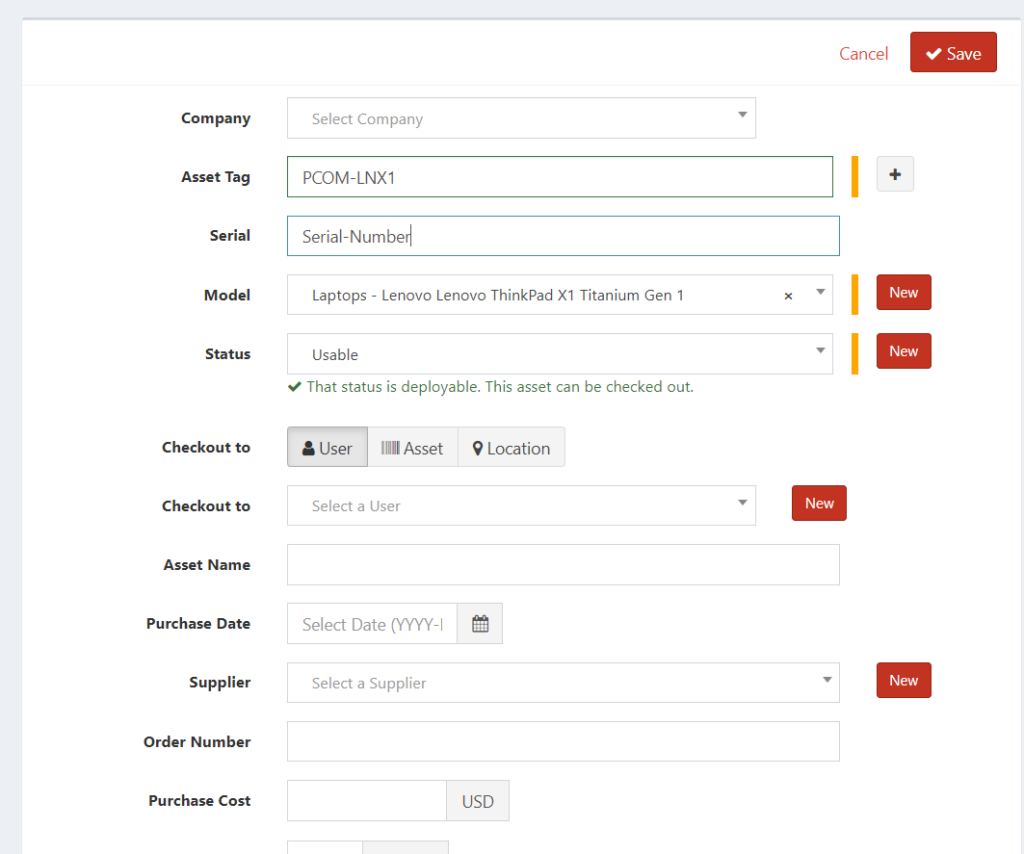
- Fill out the following sessions (Lenovo ThinkPad X1 as example):
- Asset Tag: PCOM-LNX1
- Asset Tag Naming Convention at the end of the document
- Serial: Serial # on the laptop
- Model: ThinkPad X1
- Status: Usable
- Asset Name: Lenovo ThinkPad X1
- Save Asset
Accessory
- Navigate to Accessories tab from the dashboard
- Click “Create New” located on the top right corner
- Fill in the following fields:
- Accessory Name: name of the accessory (ie. Apple Pencil)
- Category: Accessory
- Supplier/Manufacturer: Choose accordingly
- Quantity: numbers available
- Save

Find NC State websites, locations and people
TOP LINKS